StatChecked for League of Legends: a walkthrough
Every League page, step by step with screenshots: what a player does, what they see, and which Riot API data each page is built from.
- What it is
- A free website where League of Legends players look up any summoner by Riot ID, and browse a tier list, ranked ladders, challenges and the free rotation.
- Who it’s for
- Players checking themselves, a duo partner, teammates or opponents, before or after a game.
- Sign-up
- None. Every page on this tour opens in a browser without an account, a sign-in, a download or a Discord server.
- Cost
- Free. No paywall and no premium tier; some pages show one labelled ad.
- Follow along
- Search P1ZZASNIPER#NA1 on NA (the developer’s own account) or any Riot ID you like.
This walkthrough follows the path a typical player takes through the League section of statchecked.com/lol, one page at a time. Each step says what the player does, what they see, and which Riot Games API data the page is built from. The screenshots are of the live site; the link under each one opens the same page so you can try it yourself.
1Search a Riot ID
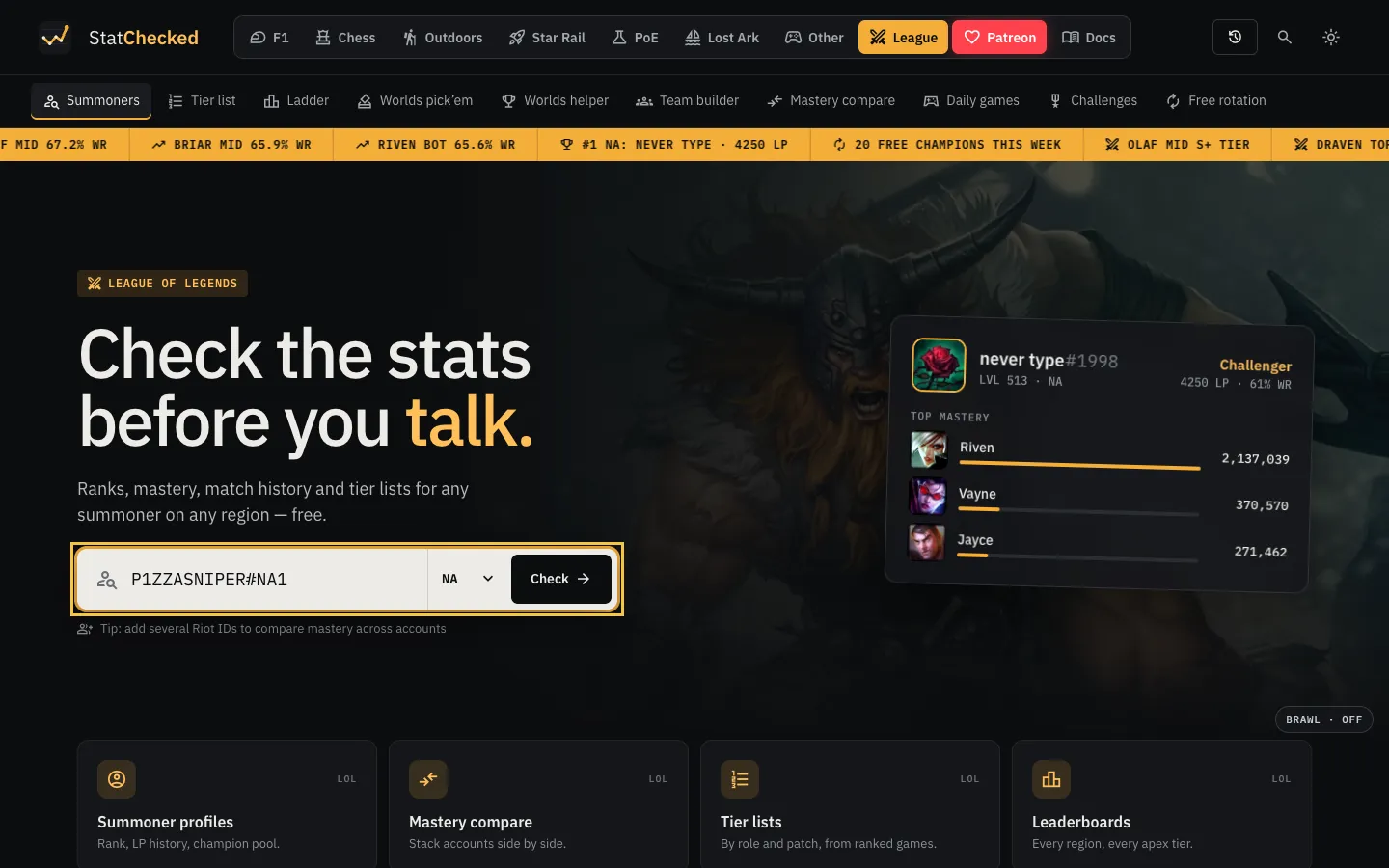
The player opens the League home page, types a Riot ID in the form name#tag, picks the region and presses Check. The Riot ID is resolved to an account first; everything after that is looked up by that account’s PUUID. Recent searches are kept on the player’s own device so they can jump back to a profile from the header.
Riot dataACCOUNT-V1 accounts/by-riot-id
2The summoner profile
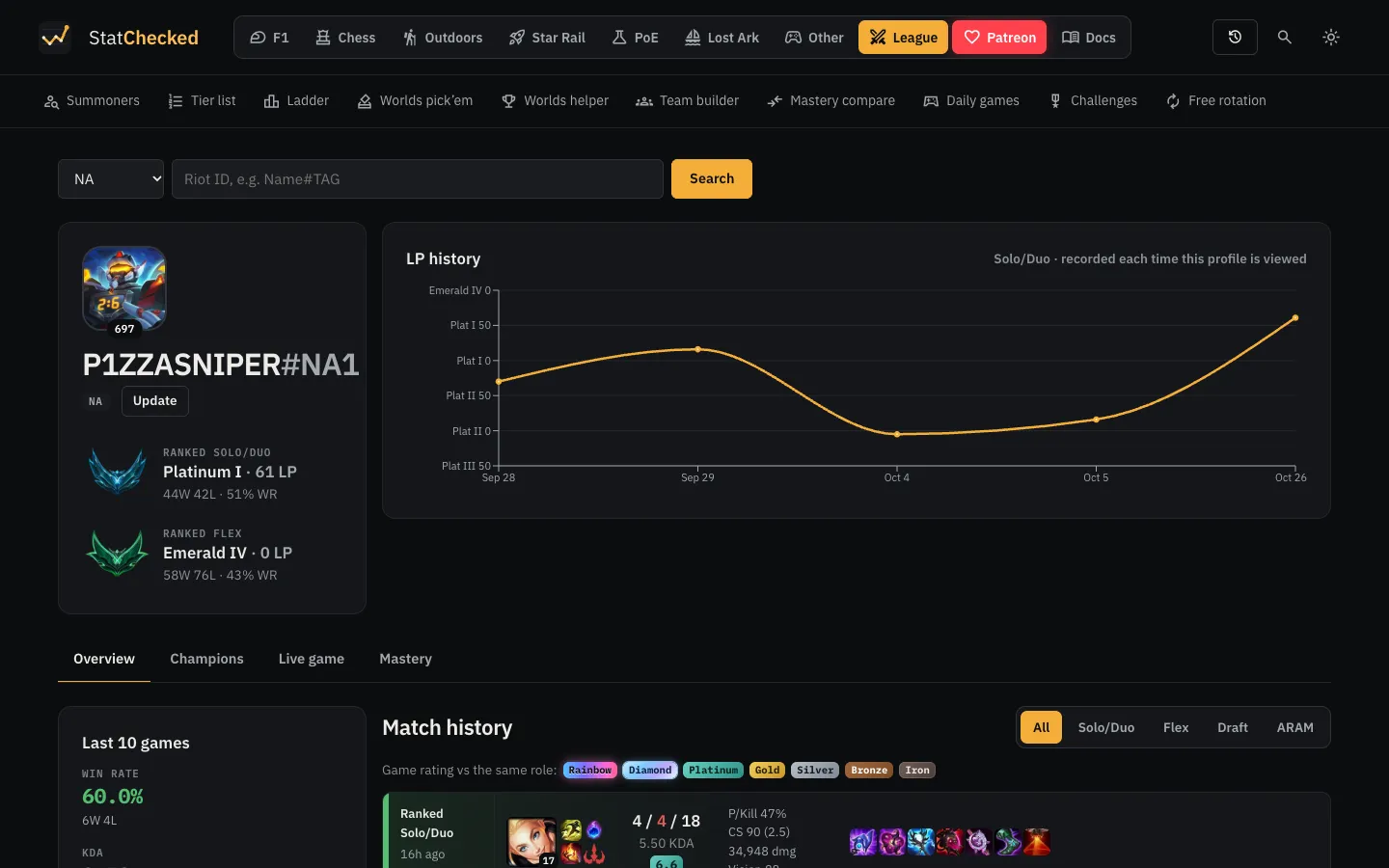
The profile opens with the summoner’s icon and level, their Solo/Duo and Flex rank with LP, wins, losses and win rate, and an LP history chart. Riot’s API only gives the current rank, so StatChecked records it each time the profile is viewed and draws the chart from those records. The Update button asks for fresh data; otherwise recent answers are reused (see “How we use the API” below).
Riot dataSUMMONER-V4 summoners/by-puuidLEAGUE-V4 entries/by-puuid
3Match history
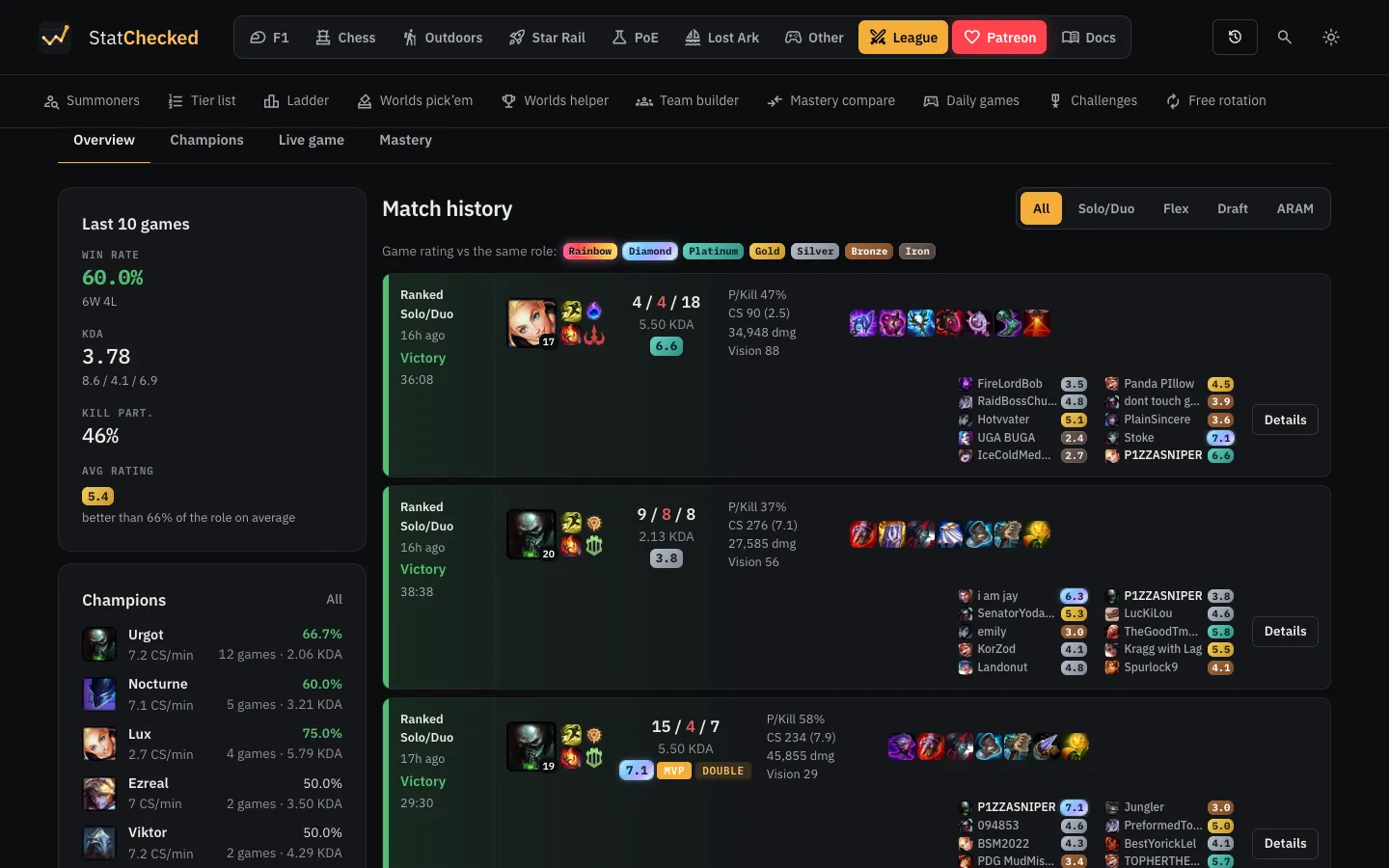
Further down is the player’s recent games. Each card shows the queue, result and length, the champion, spells and runes, KDA, kill participation, CS, damage, vision and items, and all ten players. Every player gets a 0–10 game rating, coloured by how it compares with the same role in recent games. The buttons above the list filter by queue (Solo/Duo, Flex, Draft, ARAM), and the sidebar summarises the last ten games: win rate, KDA, kill participation, average rating and the champions played. A button at the bottom loads older games.
Riot dataMATCH-V5 matches/by-puuid/idsMATCH-V5 matches/{matchId}
4One match in detail
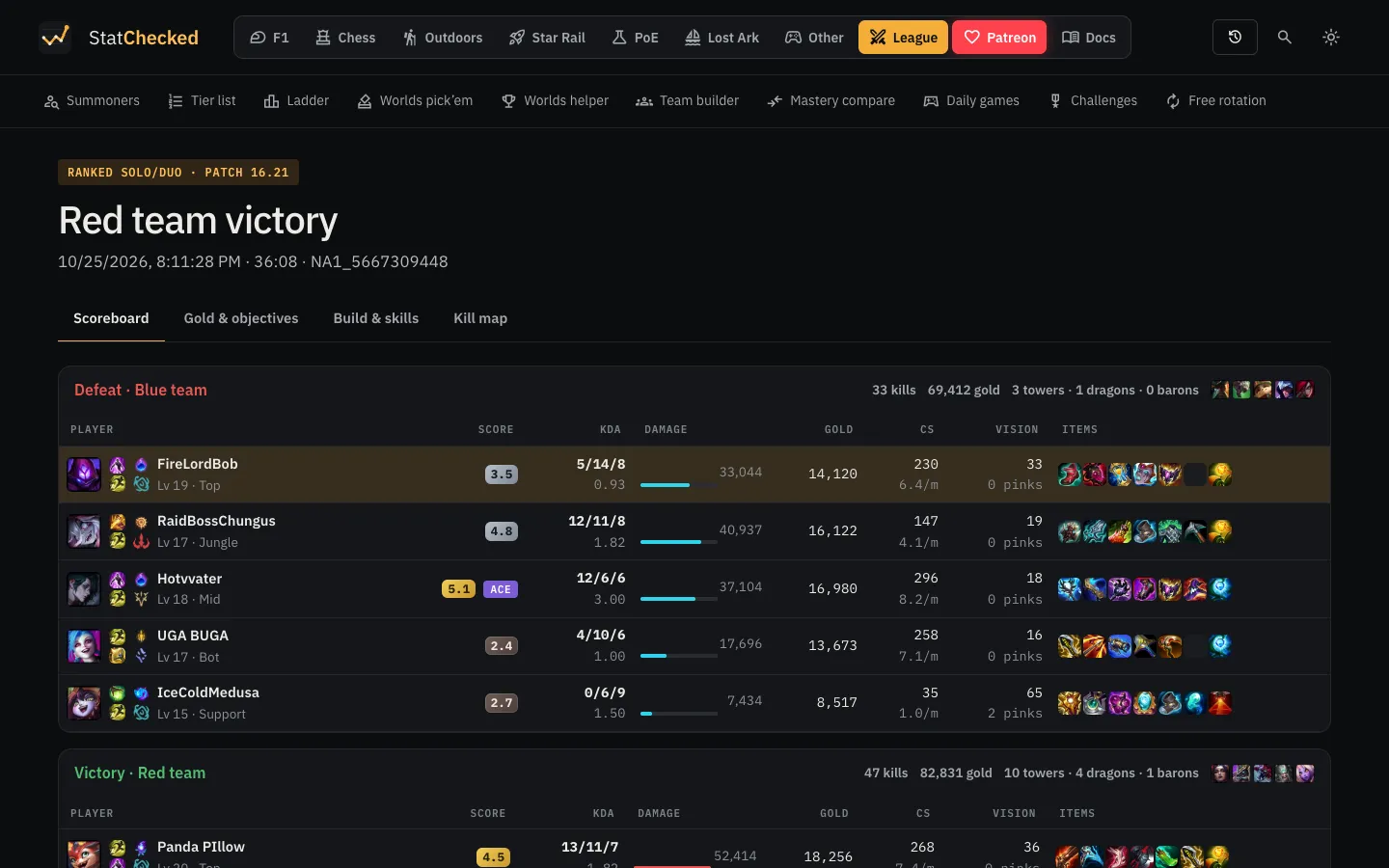
Details on any game opens the match page. The scoreboard lists both teams with each player’s rating, KDA, damage, gold, CS, vision and items, and the team totals for kills, gold, towers, dragons and barons. Clicking a player selects them for the Build & skills tab.
Riot dataMATCH-V5 matches/{matchId}
5Gold and objectives
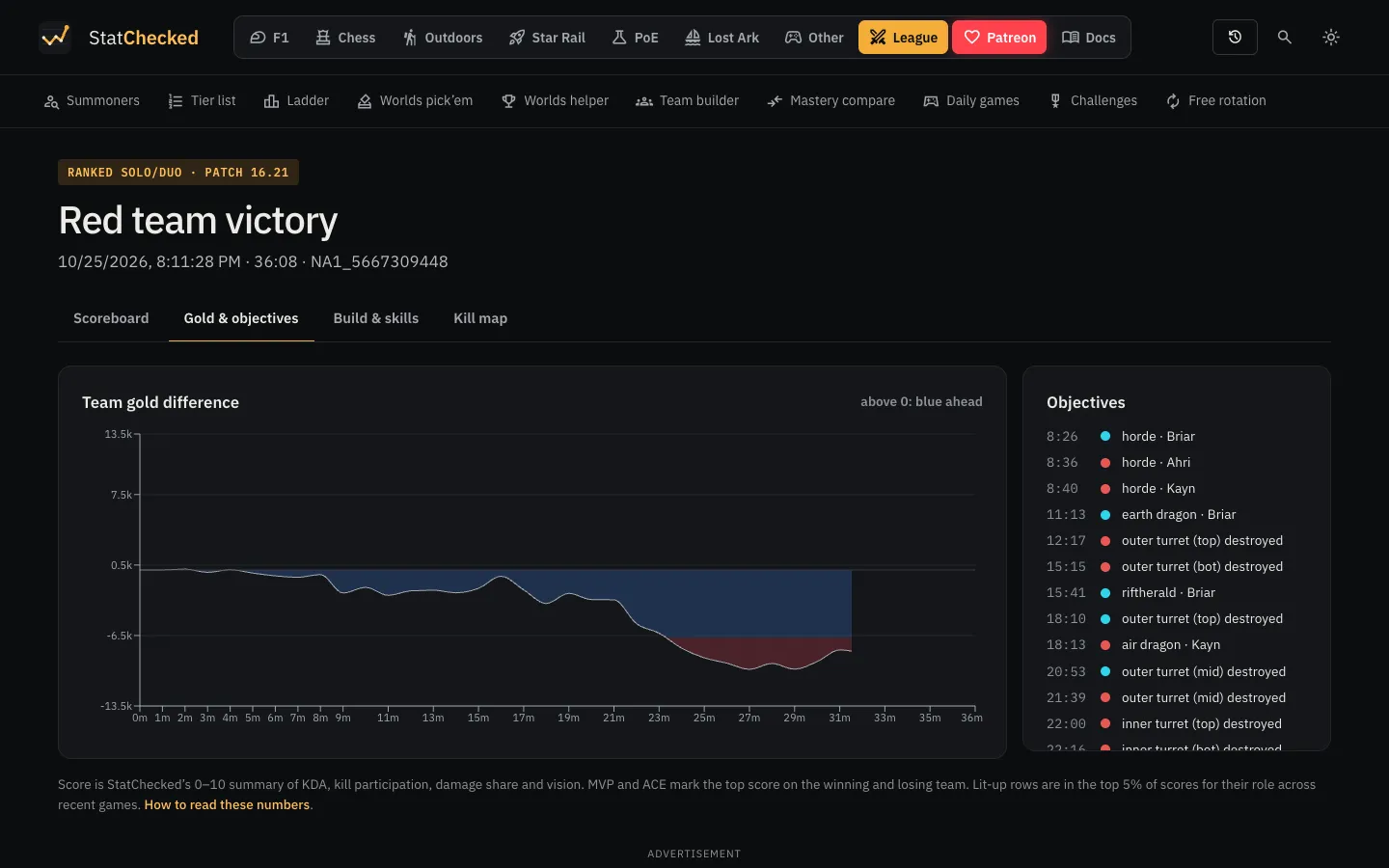
The Gold & objectives tab draws the gold lead minute by minute from the match timeline, next to every dragon, herald, baron, tower and inhibitor in the order they fell.
Riot dataMATCH-V5 matches/{matchId}/timeline
6Build and skills
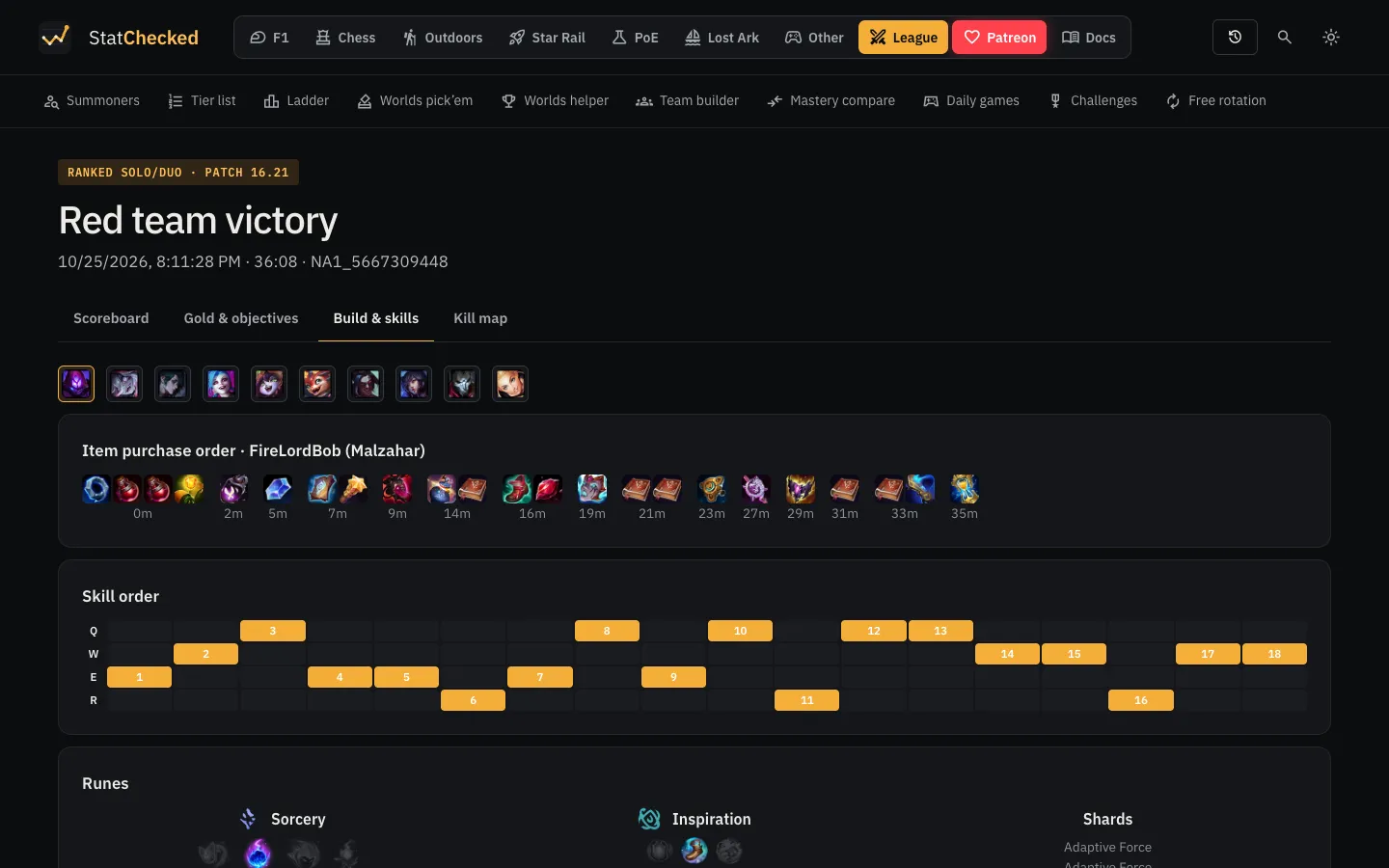
Build & skills shows the selected player’s items in the order they were bought, the order they levelled their abilities, and their runes. The Kill map tab plots where each kill happened.
Riot dataMATCH-V5 matches/{matchId}/timeline
7Champion stats
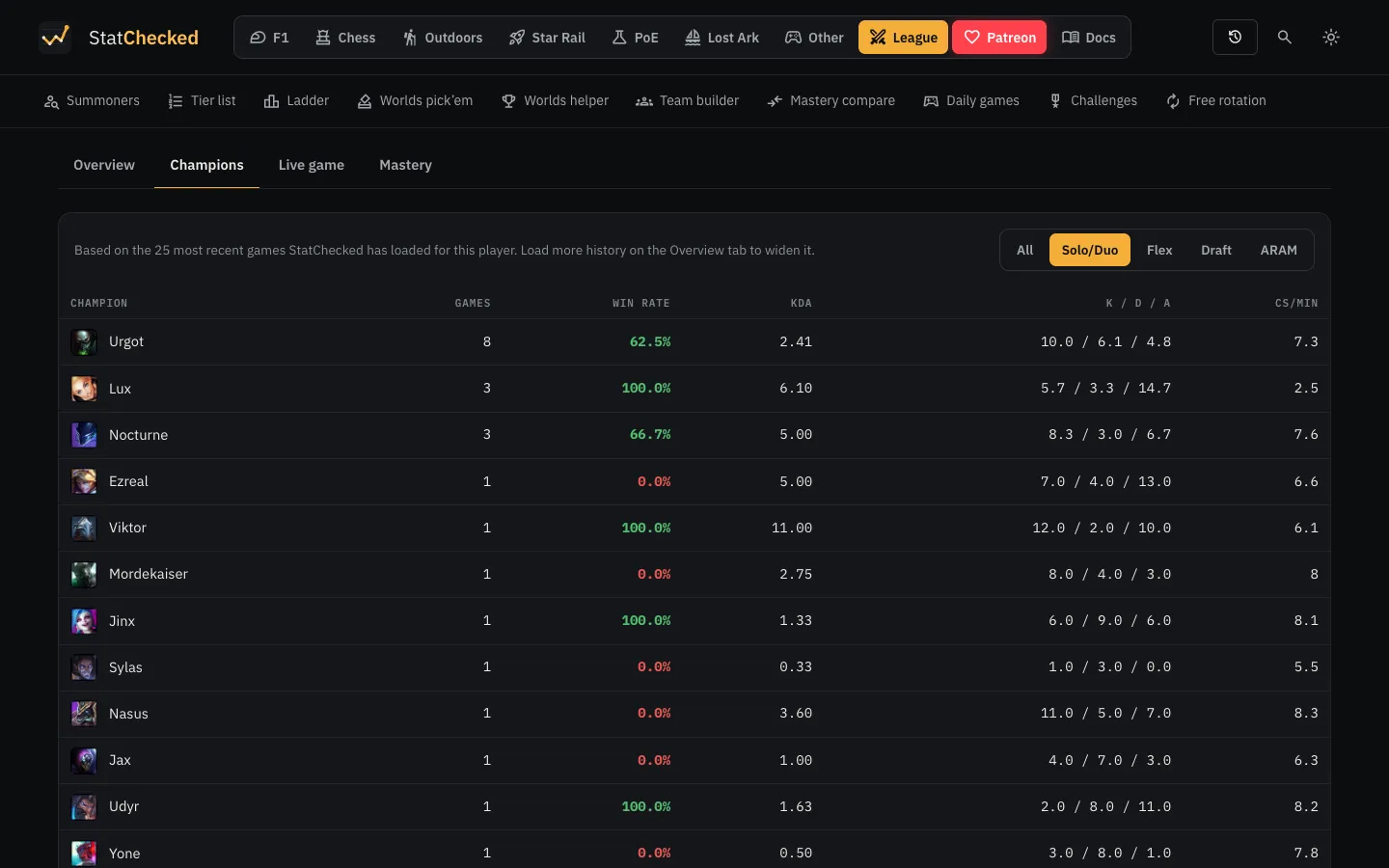
Back on the profile, the Champions tab totals the player’s games by champion: games played, win rate, KDA and CS per minute, with the same queue filter. It is worked out from the matches already loaded, so it makes no extra calls to Riot.
8Live game
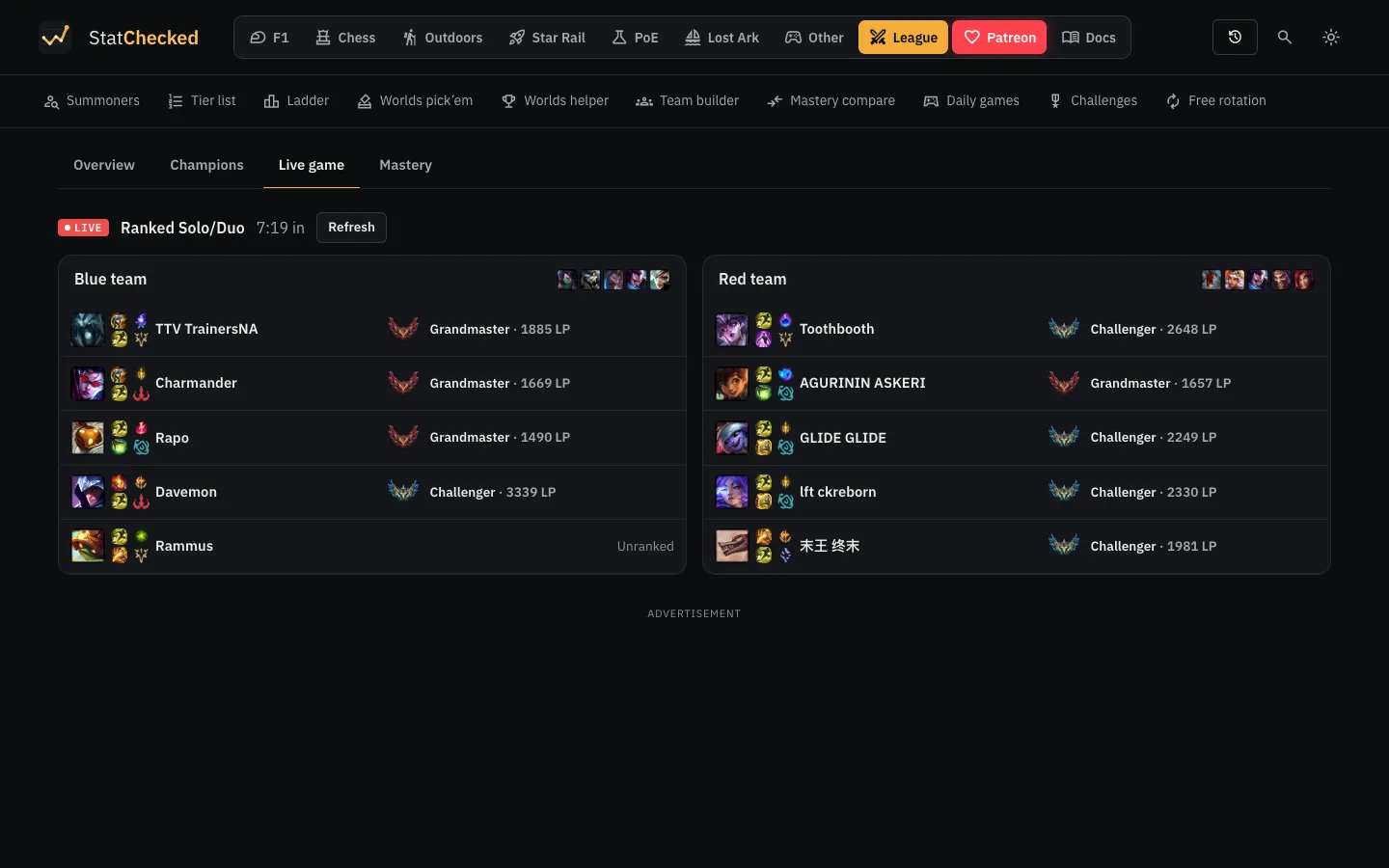
If the player is in a game right now, the Live game tab shows the queue, how long it has been running, and both teams with their champions, summoner spells, runes and Solo/Duo rank. Otherwise it says the player isn’t in a game, with a button to check again. The screenshot is of a Challenger player who was in a game at the time.
Riot dataSPECTATOR-V5 active-games/by-summonerLEAGUE-V4 entries/by-puuid
9Champion mastery
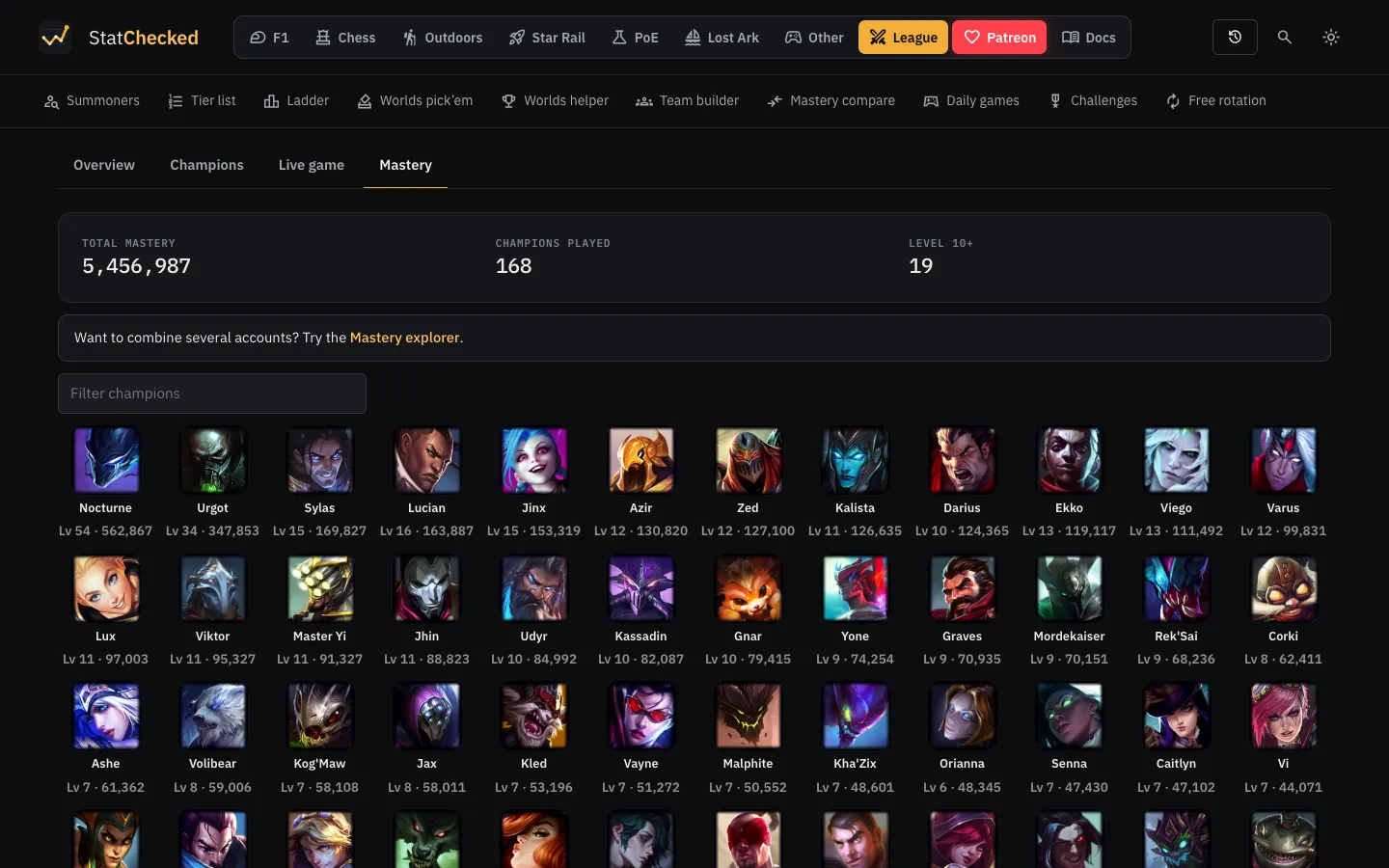
The Mastery tab shows total mastery points, how many champions the player has played and how many are level 10 or higher, then every champion with its mastery level and points, with a filter box.
Riot dataCHAMPION-MASTERY-V4 champion-masteries/by-puuid
10Mastery across several accounts
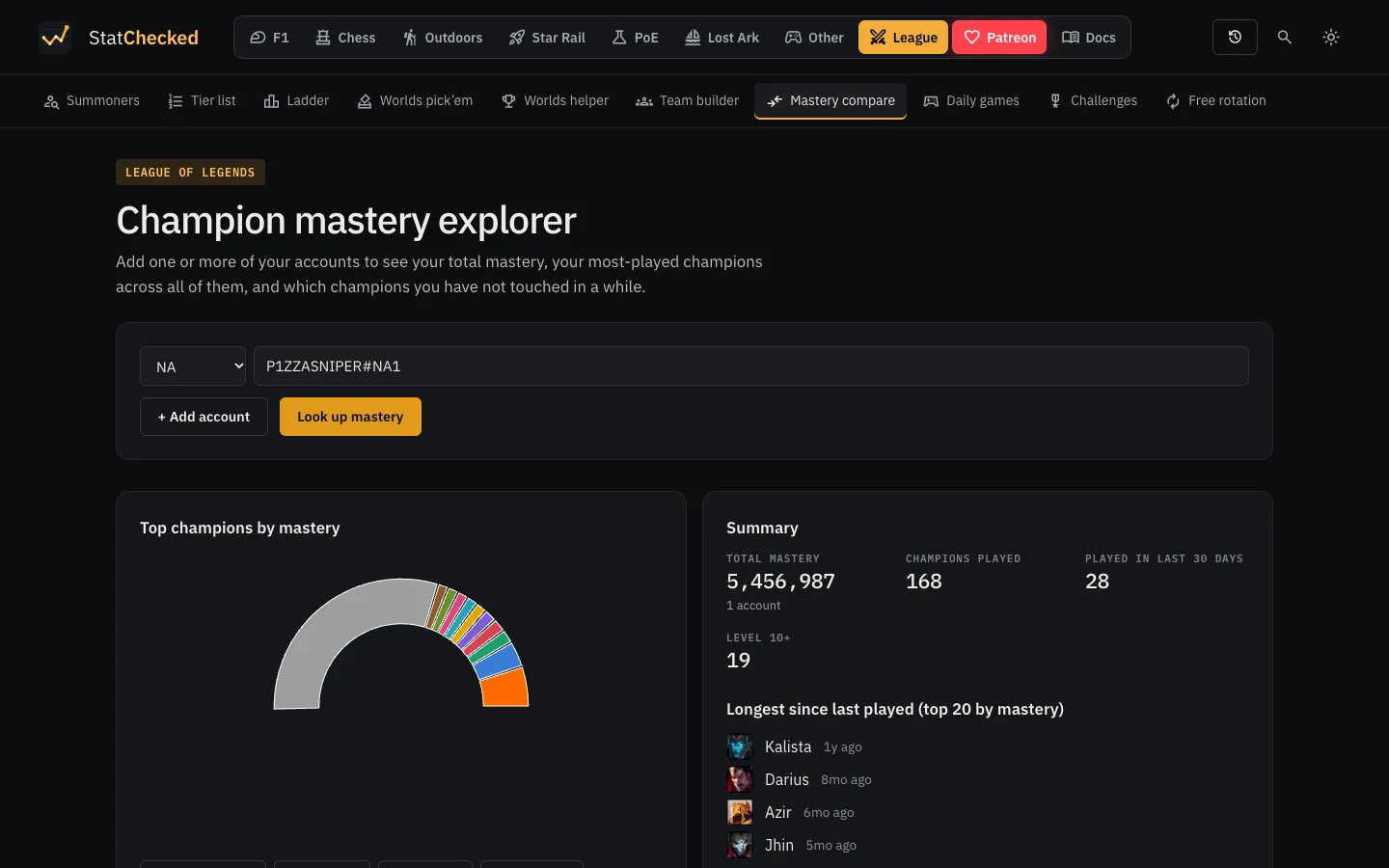
Players with more than one account add each Riot ID to the mastery explorer to see their combined mastery, their most-played champions across all of them, and which of their main champions they haven’t played for a while.
Riot dataACCOUNT-V1 accounts/by-riot-idCHAMPION-MASTERY-V4 champion-masteries/by-puuid
11Champion tier list
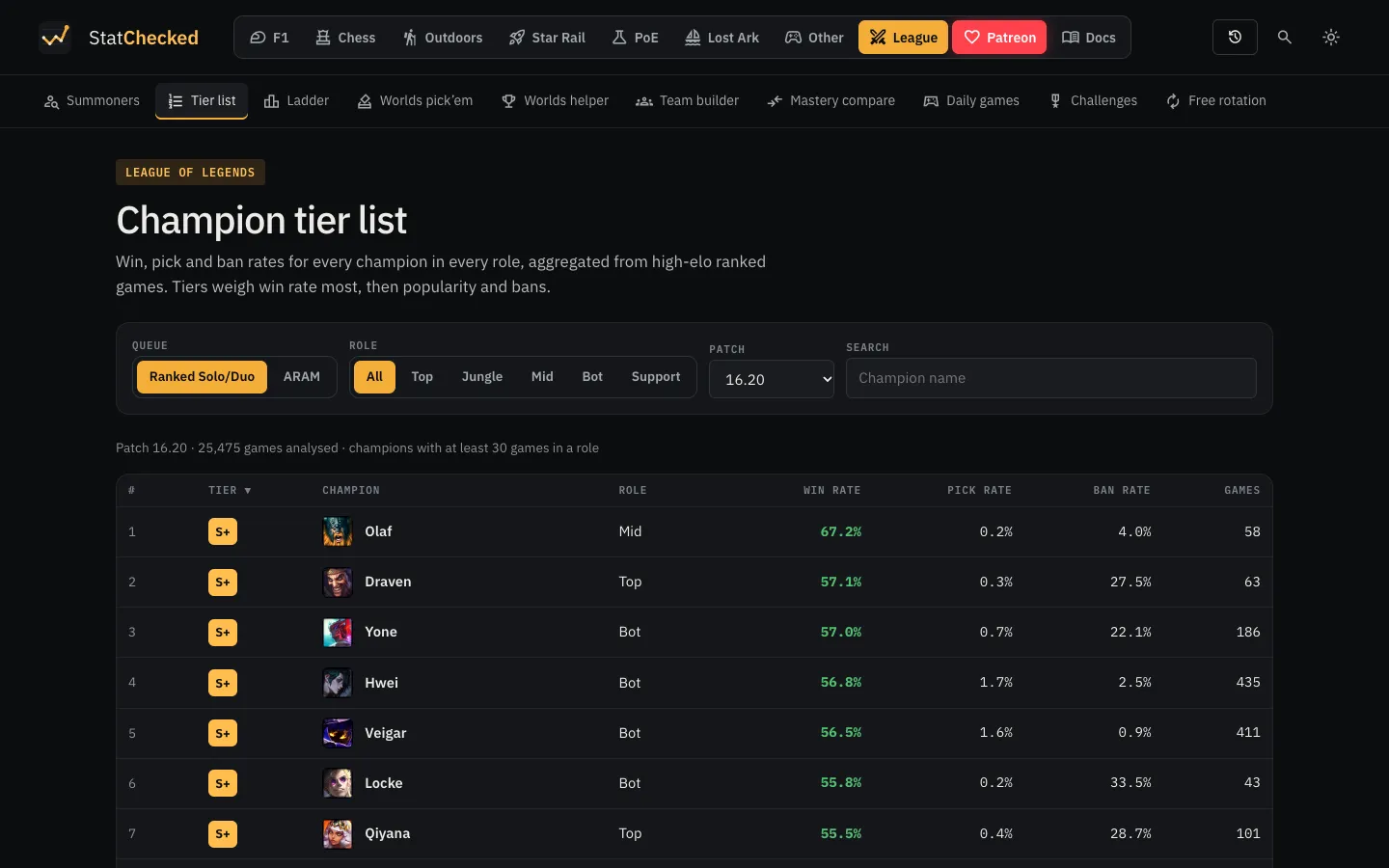
The tier list ranks every champion in every role by win rate, pick rate and ban rate for the current patch, filterable by queue, role and patch, with the number of games behind each row. The numbers come from high-elo ranked games that a background crawler fetches slowly over time from the Challenger, Grandmaster and Master ladders. Our tier list guide explains the method.
Riot dataLEAGUE-V4 challenger/grandmaster/masterleaguesMATCH-V5 (background crawler)
12A champion’s page
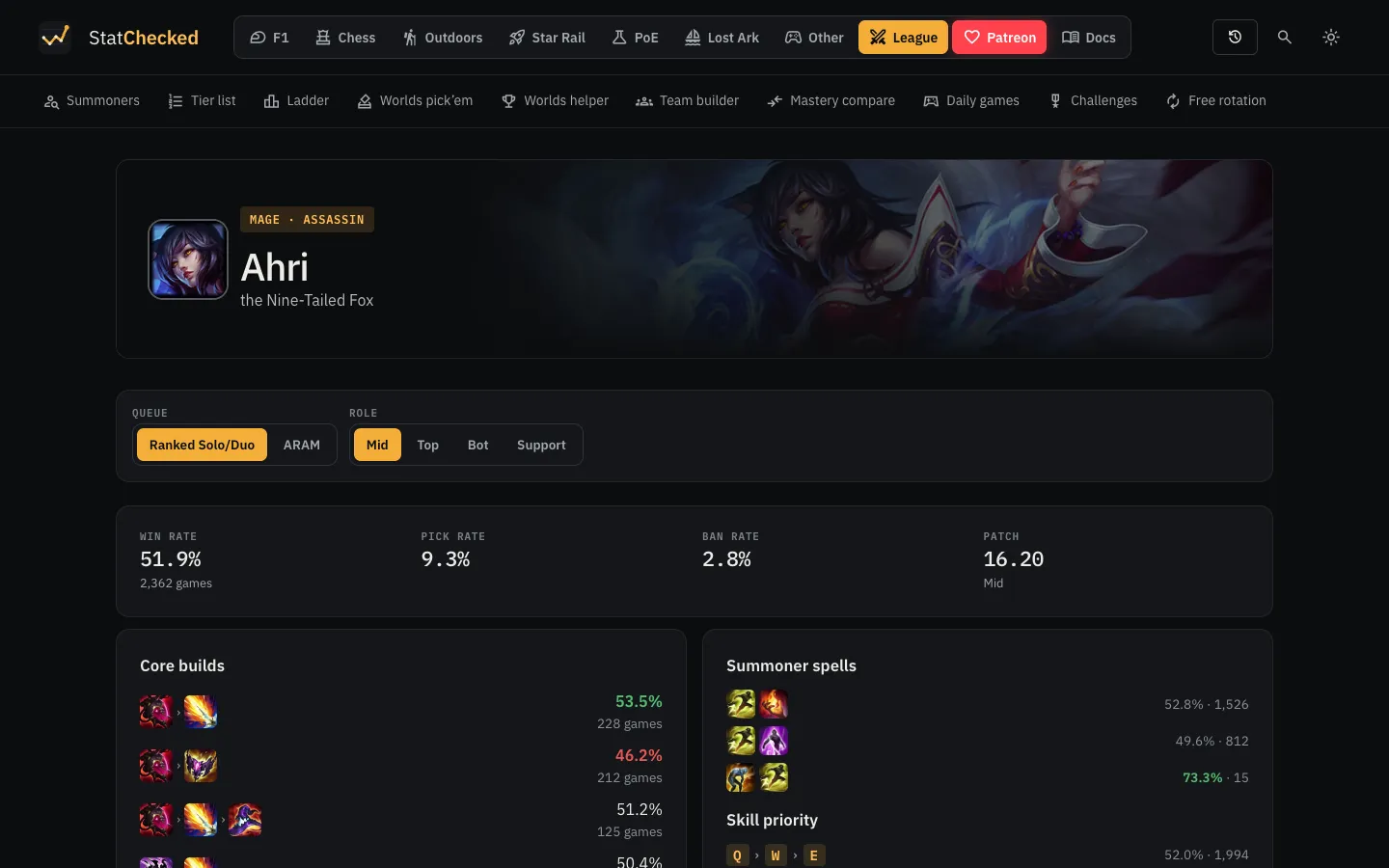
Clicking a champion opens their page: win, pick and ban rate by role, the most successful core builds, boots, starting items, summoner spells, skill order and runes from the same aggregated games, plus abilities and lore from Data Dragon.
Riot dataMATCH-V5 (same aggregated games)Data Dragon
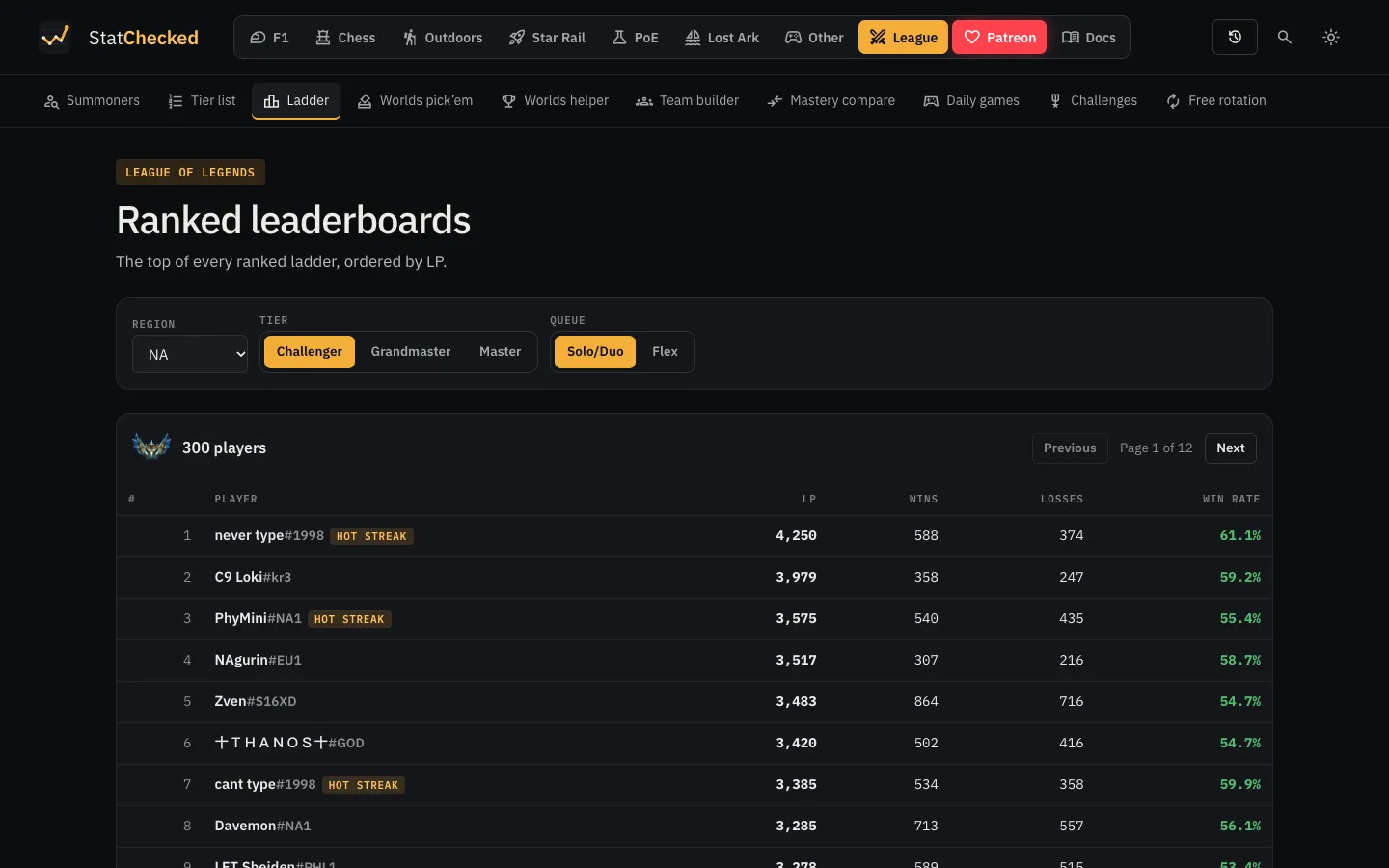
13Ranked ladders
The ladder page lists the Challenger, Grandmaster and Master players for any region and either ranked queue, ordered by LP, with wins, losses and win rate. Riot IDs are filled in from the account API; every name links to that player’s profile.
Riot dataLEAGUE-V4 challenger/grandmaster/masterleaguesACCOUNT-V1 accounts/by-puuid
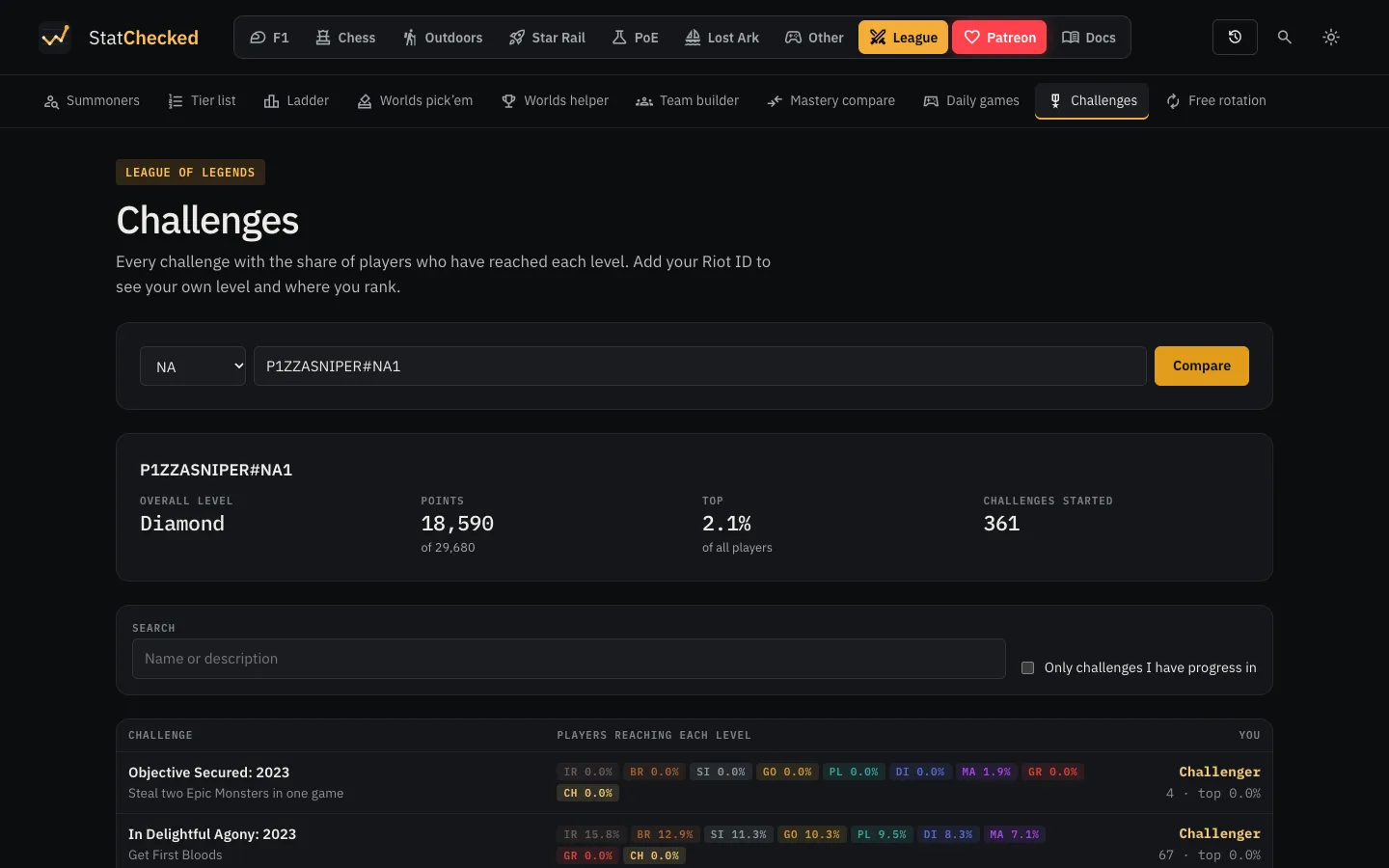
14Challenges
Every challenge is listed with the share of players who have reached each level, from Iron to Challenger. Entering a Riot ID adds that player’s own level in each challenge and where they rank.
Riot dataLOL-CHALLENGES-V1 challenges/configLOL-CHALLENGES-V1 challenges/percentilesLOL-CHALLENGES-V1 player-data
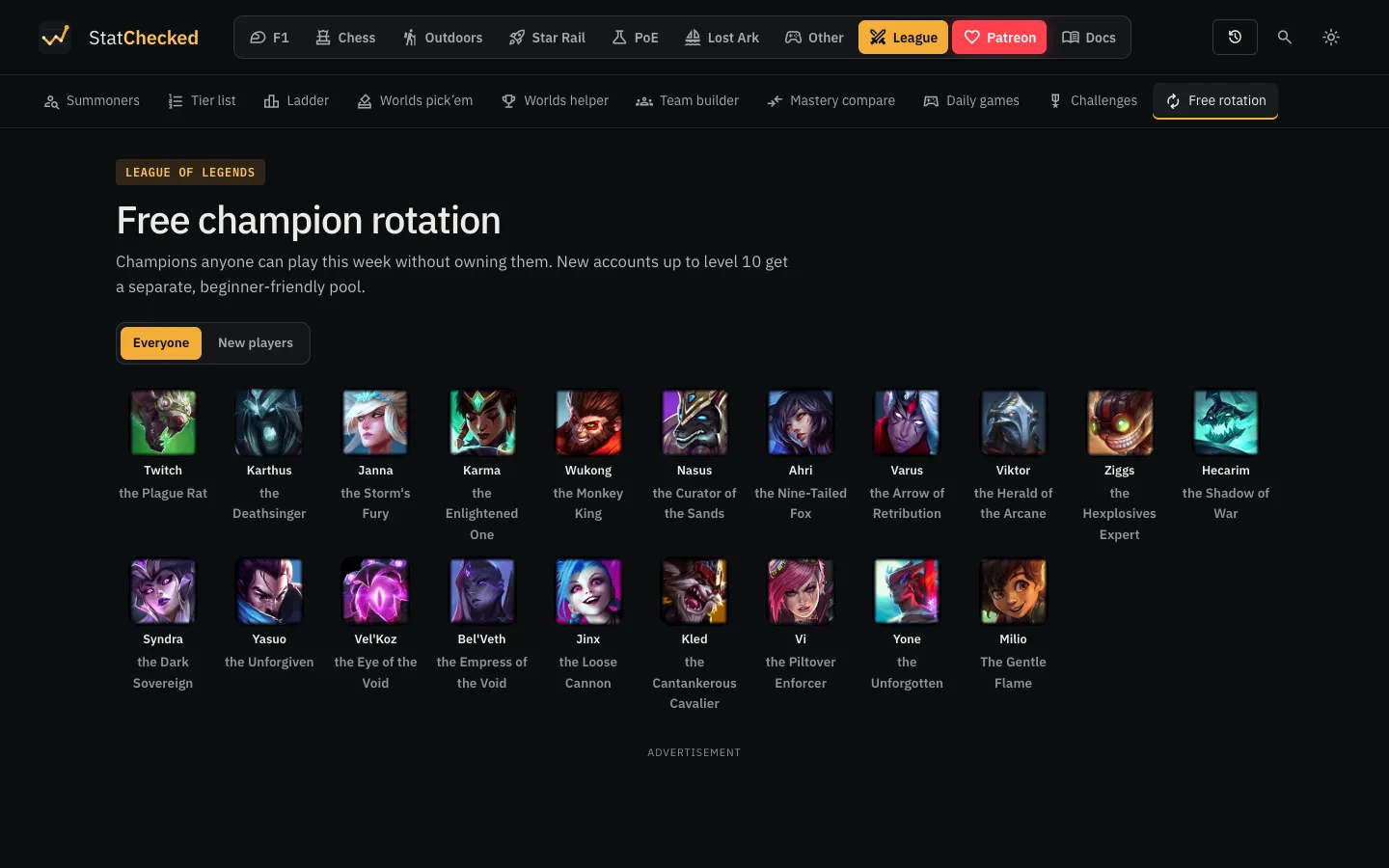
15Free champion rotation
This week’s free champions, with a switch to the separate pool for new accounts. Each portrait links to the champion’s page.
Riot dataCHAMPION-V3 champion-rotations
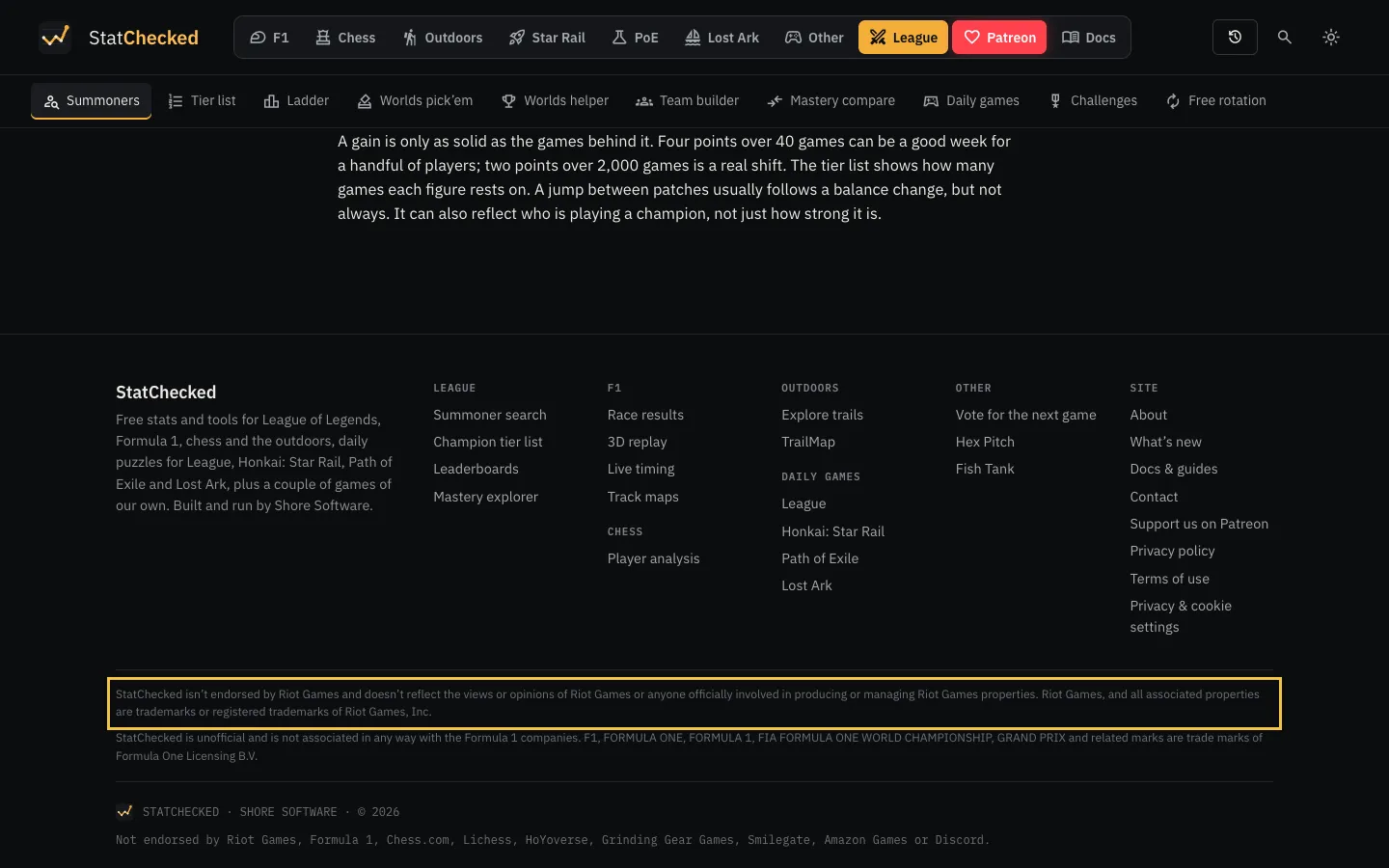
16Riot’s notice and our policies
Every page ends with Riot’s required notice that StatChecked isn’t endorsed by Riot Games, and links to our privacy policy, terms of use and contact page.
How we use the API
- Server side only. The browser talks to our own server, which calls Riot. The API key never reaches a visitor.
- Cached answers. Each answer is reused for a while before we ask again: Riot ID lookups for an hour, profiles and mastery for ten minutes, ranks and match lists for two minutes, a live game for 30 seconds, and challenge data and the rotation for up to a day. A match is fetched once and stored, so opening it again costs nothing.
- Within our limits. Every call goes through a limiter sized to our key’s rate limits and honours Retry-After on a 429. Each visitor is also capped (about 25 profile views a minute), so one script can’t use up the key for everyone.
- A polite crawler. The tier list’s background crawler only ever uses about a third of the rate limit, so visitors’ lookups come first. It reads ranked games of players on the top ladders and players searched on the site, keeps them for three weeks and stops at a fixed storage cap.
- Public game data only. We show what the game client itself shows, and nobody has to sign in or link an account.
Other League pages
The section also has Worlds pick’em and a Worlds helper (pro match data from Leaguepedia, not the Riot API), a team builder that suggests picks from the patch’s tier list and each player’s own champion history (MATCH-V5 and CHAMPION-MASTERY-V4), and daily puzzles built from Data Dragon that make no API calls at all.
Questions about any of this are welcome at shoredynamics@gmail.com.